
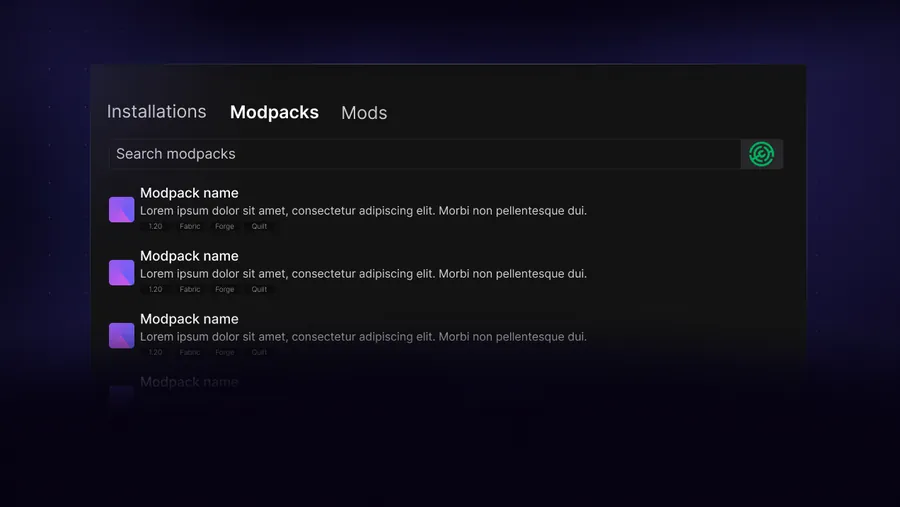
Check the modpack format and requirements
A modpack is more than a folder of random mods. It can include a manifest, required loader, configuration files, scripts, resource packs and version-specific dependencies. Read the pack page for the supported Minecraft version, loader, minimum memory and client/server notes before importing anything.
The launched SKlauncher 4 line advertises integrated Modrinth and CurseForge browsing. Legacy 3.2.18 may require a more manual installation flow depending on the pack format. Do not assume a tutorial recorded for one line matches every control in the other.
- Use the pack author's current release page.
- Record the Minecraft and loader versions before downloading.
- Check whether the file is a Modrinth .mrpack, CurseForge ZIP or manual archive.
- Read required Java and memory notes.
| Pack detail | Why it matters |
|---|---|
| Minecraft version | Controls game and mod compatibility |
| Loader | Fabric, Forge and NeoForge packs differ |
| Pack release | Configs and dependencies change together |
| Memory | Large packs need more RAM than vanilla |
Avoid repacked downloads
Use the author, Modrinth or CurseForge. Reposted pack ZIPs can be outdated, incomplete or bundled with unrelated installers.
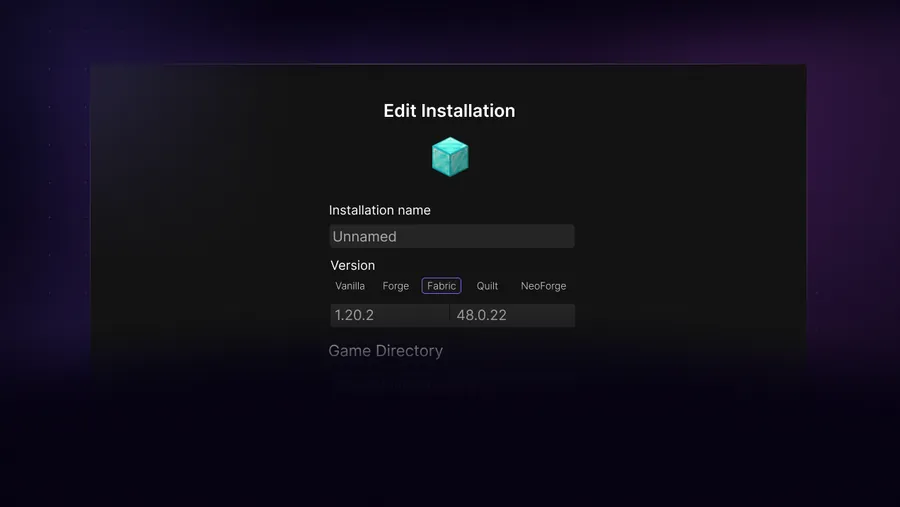
Create an isolated installation in SKlauncher
Create a new installation named after the pack and its release. Select the exact Minecraft version and required loader, then choose a dedicated directory. Never point a new pack at the only vanilla directory or another large pack's directory.
Launch the loader profile once when the installation method expects a manual pack. That creates the base folder layout. Close the game before copying the pack files. For a supported import feature, let the launcher create the instance and download dependencies rather than manually duplicating the same files.
Create or import
Use native import when the current launcher version supports the pack format.
Confirm versions
Match Minecraft, Fabric/Forge/NeoForge and the pack release.
Use a new directory
Keep mods, configs, scripts and saves isolated.
Launch a test world
Do not move an important world until the pack reaches its main menu and a temporary world loads.
Install a modpack manually when import is unavailable
Open the archive and inspect its structure before copying. A complete manual pack may contain mods, config, defaultconfigs, kubejs, resourcepacks or other directories. Copy them into the dedicated game directory while Minecraft is closed.
Manifest-based packs do not always contain every mod JAR because their launcher is expected to resolve download references. If an archive contains only a manifest and overrides folder, simply extracting it into .minecraft will not create a complete installation. Use a compatible importer or follow the pack author's manual instructions.
Back up the target directory
Even an isolated profile may already contain a test world or settings.
Inspect the archive
Determine whether it is a complete manual pack or a manifest-based export.
Copy to the profile root
Place folders relative to the dedicated game directory, not inside the mods folder.
Keep the original archive
It provides a clean reference if files must be restored.
Do not mix two packs
Combining their mods and configs creates an unsupported custom pack. Test additions separately and keep a record of every change.
Memory, Java and performance settings
Follow the pack author's memory range. A lightweight pack may run in 4 GB, while a large pack can require 6-10 GB or more. Do not assign all physical memory to Minecraft; the operating system, launcher, browser and background services need room.
Use the Java version required by the Minecraft and loader combination. SKlauncher stable itself recommends Java 21, but older game versions can use different runtimes. When a pack fails during startup, capture the log and verify dependencies before increasing memory blindly.
| Symptom | Likely check |
|---|---|
| OutOfMemoryError | Pack memory recommendation and available RAM |
| Missing mod dependency | Importer completeness and pack manifest |
| Mixin or loader error | Exact loader and game version |
| Very low FPS | Pack graphics settings and optional performance mods |
Update a modpack without losing worlds
Create a new instance for a major pack update rather than overwriting the only working copy. Copy a world only after the new pack reaches the main menu. Read the pack changelog for removed mods, world-generation changes and required migration steps.
Back up the entire old instance, not just the saves folder, when quests, scripts or configs hold progression. Keep the previous launcher profile until the updated pack and world have been tested for several sessions.
- Export or copy the current instance.
- Install the new pack release into a separate directory.
- Launch without the important world first.
- Copy the world and verify blocks, items, quests and dimensions.
How to export a modpack from SKlauncher
Before exporting, launch the instance once, close Minecraft and back up the instance directory. Record the Minecraft version, loader, pack release, configs and whether the export uses a Modrinth .mrpack or CurseForge manifest.
Use the launcher’s export action when your version provides it. Include documented configs and overrides, save the archive outside the live directory and test the import in a separate instance. A manifest may contain download references rather than mod JARs.
Select the working instance
Export the profile that has already reached the menu.
Check the manifest format
Confirm Modrinth .mrpack, CurseForge export or manual pack.
Include required files
Keep configs and overrides when the pack documents them.
Test the archive
Import it into a separate instance before sharing a world.
SKlauncher modpack import and export checklist
Before exporting, launch the instance once, close Minecraft and back up the instance directory. Record the Minecraft version, loader, pack release, configs and whether the export uses a Modrinth .mrpack or CurseForge manifest.
Use the launcher’s export action when your version provides it. Include documented configs and overrides, save the archive outside the live directory and test the import in a separate instance. A manifest may contain download references rather than mod JARs.
- Select the working instance
- Check the manifest format
- Include required files
- Test the archive
SKlauncher modpack FAQ
Can SKlauncher download CurseForge modpacks?
The launched SKlauncher 4 line advertises integrated CurseForge and Modrinth support. Legacy 3.2.18 workflows may be more manual, so follow the controls available in your launcher version.
Where should a modpack be installed?
Use a dedicated game directory created for that pack. Do not merge it into a vanilla profile or another pack.
Why does the pack ZIP contain no mod JARs?
Manifest-based exports can contain download references instead of redistributed mod files. Use a compatible importer or the author's instructions.
How much RAM should I allocate?
Use the pack author's recommendation and leave enough memory for the operating system. More is not always better.
Can I use a modpack offline?
After all game files, libraries, mods and assets are cached, some profiles may launch offline. Initial installation and missing dependencies normally require a connection.
How do I export a modpack from SKlauncher?
Test the instance, back up its folder, choose the launcher’s export action when available, include the documented configs and overrides, and test the archive in a separate instance. A manifest may still require an importer.
Sources and verification
This guide uses current first-party information checked on August 13, 2026.
First-party SKlauncher downloads and SKlauncher 4 Modrinth modpacks CurseForge Minecraft modpacks