
Can you install OptiFine in SKlauncher?
Yes, but the correct method depends on the Minecraft release and the OptiFine build you choose. SKlauncher starts the Minecraft profile; OptiFine is an optimization and graphics mod that must be compatible with that profile. The launcher name alone does not tell you which OptiFine file will work.
The safest workflow is to keep a clean Vanilla profile, read the official OptiFine downloads page, select the entry that matches your Minecraft version, and test it in a separate game directory. Do not download a file just because its name contains a nearby version number. OptiFine's official page currently lists more than one release line, including preview builds, so the exact game version remains the deciding field.
This guide explains the install boundary, not a universal direct-download shortcut. It does not claim that every OptiFine build works with every loader, modpack, shader pack or operating system. When a build or loader has its own instructions, follow that source instead of forcing the files together.
- Use the official OptiFine downloads page and record the Minecraft version shown beside the build.
- Create a new SKlauncher profile and directory before changing a working world.
- Launch Vanilla first, then install and test OptiFine without unrelated mods.
- Add shader packs only after Video Settings and the base profile work normally.
| Layer | What to match |
|---|---|
| Minecraft | The exact release selected in SKlauncher |
| OptiFine | The official build listed for that release |
| Java | A runtime that can start the launcher and game |
| Profile | Its own directory, options and test world |
Do not use a guessed latest file
OptiFine version labels change as Minecraft releases change. Use the version pairing displayed by the official source on the day you install it.
Check the Minecraft and OptiFine versions before installing
Open the SKlauncher installation manager and write down the Minecraft release you intend to use. If the profile is for a modpack, also record its loader, required dependencies and supported game version. OptiFine is not a replacement for a missing loader, and a renderer built for another release can fail before the main menu appears.
Now open the official OptiFine downloads page in a new tab. Compare the Minecraft version on the page with the version in your SKlauncher profile. Check whether the entry is a preview or a more established release, and keep the downloaded filename unchanged so you can identify it later. If there is no matching entry, stop at this point; do not rename a nearby build to make it look compatible.
SKlauncher 3.2.18 remains the stable launcher line listed by the first-party download page, while the official binary release record currently reaches SKlauncher 4.0.43. Those are launcher versions, not Minecraft or OptiFine versions. Keep the three labels separate in your notes and in any support request.
Record the game release
Copy the exact Minecraft version from the SKlauncher installation entry. Include a snapshot or preview label when one is shown.
Find the matching OptiFine row
Use the Minecraft version displayed on optifine.net/downloads, not a filename guessed from a search result.
Note the profile type
Write down Vanilla, Forge, Fabric or another loader before choosing the installation path.
Keep a rollback
Leave the original profile and world untouched until the new profile reaches the main menu.
Create a separate SKlauncher profile
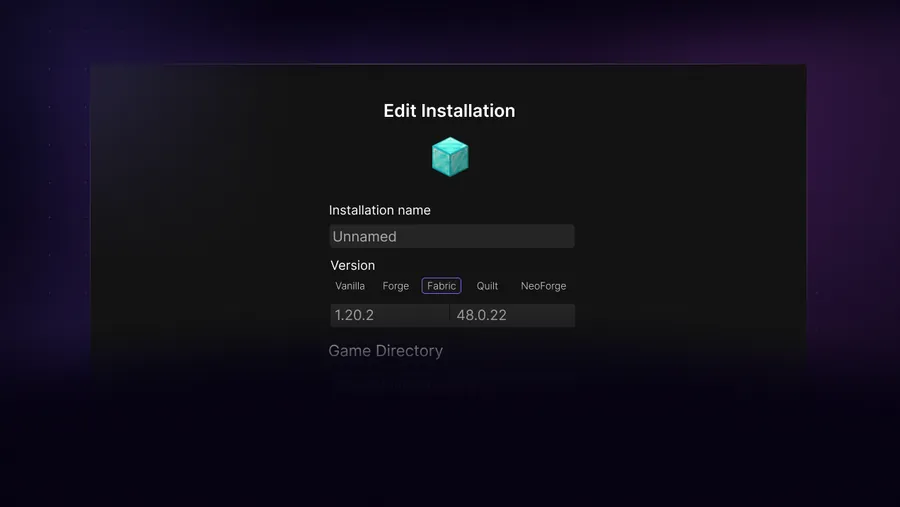
Before installing OptiFine, create a new installation in SKlauncher instead of editing the only profile you use. Give it a name that includes the Minecraft version and renderer, such as `1.21.11 OptiFine test`, but use the exact version you actually selected. Choose a dedicated game directory so its `options.txt`, logs, resource packs and saves cannot silently overwrite another setup.
Launch the new profile once without OptiFine. Reaching the main menu proves that the base Minecraft files, Java runtime, account state and selected directory work together. If Vanilla cannot start, adding OptiFine will make the diagnosis harder. Close Minecraft completely before continuing so the launcher and game are not holding files open.
If you are testing an important world, copy it into the new profile only after a backup exists. Never use the first OptiFine launch as the first test of a valuable save. A renderer can change video settings, resource-pack behavior or mod compatibility; an isolated test makes rollback simple.
Duplicate the safe starting point
Create a new installation rather than changing the profile that already contains your main world.
Set the exact game version
Select the same Minecraft release used by the OptiFine entry. Do not rely on a neighboring patch.
Choose a new directory
Use a separate folder for the test profile, logs, options and saves.
Start Vanilla once
Reach the main menu, close the game and keep the clean profile available for comparison.
A new profile is a diagnostic tool
If OptiFine works in the clean profile but not in the old one, the difference is probably a loader, mod, resource pack, setting or directory conflict—not the basic SKlauncher download.
Install OptiFine without mixing it with ordinary mods
Download the matching OptiFine file from the official page and keep the original filename. Depending on the selected edition and Minecraft version, the official workflow may use an installer JAR or a loader-specific path. Read the instructions attached to the exact entry. A JAR that is meant to be launched as an installer is not automatically a normal mod JAR for the `mods` folder.
For an installer JAR, close Minecraft, make sure Java is available, and open the file with the Java runtime used by the profile. On systems where double-clicking does nothing, run the file from a terminal so the error remains visible. Only continue when the installer identifies the same Minecraft directory or profile that you created in SKlauncher. If it points at a global `.minecraft` folder while your profile uses a custom directory, stop and correct the destination first.
For a loader-based setup, follow the official or loader-specific instructions and check whether that combination is supported. Do not mix an OptiFine Forge workflow with Fabric files, or copy a renderer into a modpack simply because the filename ends in `.jar`. OptiFine's own FAQ notes that edition compatibility differs, and its official guidance should take priority over a generic mirror tutorial.
Preserve the download
Keep the original filename and store the file outside the live game directory until the source and version are confirmed.
Use the documented workflow
Run an installer JAR with the correct Java runtime, or use the loader path specified for the selected profile.
Confirm the destination
The installer or loader must point to the separate SKlauncher profile, not an unrelated global directory.
Install OptiFine last
When other mods are involved, add the renderer after the base profile works and test before adding more files.
- Do not put an installer JAR in the mods folder unless the exact instructions say it is a mod-file workflow.
- Do not replace a stable profile's files in place while troubleshooting.
- Do not use a renamed, repacked or mirror-hosted JAR as a substitute for the official entry.
- Do not add a shader pack until the OptiFine profile opens its own Video Settings.
OptiFine is not the same as a shader pack
OptiFine can provide graphics and shader-related options, but a shader ZIP is a separate asset with its own Minecraft and renderer compatibility requirements.
Start the profile and verify the renderer
Start the isolated profile from SKlauncher and wait for the main menu. Open Video Settings and look for the OptiFine-specific controls or renderer information expected by the selected build. The exact menu names change with Minecraft versions, translations and other installed components, so use the presence of the renderer's settings together with the launch log rather than relying on one screenshot.
Test with identical conditions: the same world copy, render distance, resource pack and display mode you used in Vanilla. Record whether the game reaches the menu, loads a temporary world, shows the expected settings and keeps the frame pacing stable. A higher FPS number is not the only success condition; a profile that crashes, stutters or corrupts settings is not ready for a valuable world.
Only after the renderer works should you install a shader pack. The separate shader guide covers Iris, shader ZIP placement and performance tuning. If you choose Iris plus Sodium instead, remove the OptiFine test from that profile and create another clean profile; comparing two renderer stacks in the same directory creates ambiguous errors.
- Reach the main menu before opening a world.
- Check that OptiFine-specific video options or renderer evidence appears.
- Compare the same scene and settings against Vanilla.
- Back up the profile before adding a shader pack or additional mod.
| Check | Pass signal | If it fails |
|---|---|---|
| Launch | Main menu appears | Read the log before changing files |
| Renderer | Expected video options appear | Confirm the profile and build pairing |
| World test | Temporary world loads | Test without the important save |
| Performance | Stable frame pacing at the same settings | Lower expensive options and compare again |
Fix common OptiFine and SKlauncher problems
If the game crashes before the menu, first return to the clean Vanilla profile. Then confirm the Minecraft version, OptiFine entry, Java runtime and profile directory one by one. A version mismatch is more likely than a missing brightness setting. If the error names a loader or mod class, remove unrelated mods and test OptiFine alone before changing Java or downloading another file.
If the installer does not open, run it from a terminal with the Java version used by the computer. A missing Java association, blocked file, wrong architecture or old runtime can all look like a silent double-click failure. The Java guide explains how to distinguish the launcher runtime from the runtime used by a Minecraft profile.
If the game opens but the screen is black, settings reset or FPS becomes worse, disable shaders and resource packs, reset video settings, and compare a new world with the same render distance. The official OptiFine FAQ points to high-quality graphics options, driver threading, texture features and mod conflicts as possible causes. Do not delete the entire `.minecraft` directory as a first response; preserve logs and the working profile so the difference can be identified.
Return to Vanilla
Use the clean profile to prove that the base Minecraft release and Java runtime still start.
Read the first error
Check the latest log or crash report for the first incompatible class, missing dependency or failed path.
Remove one variable
Disable shaders, resource packs and other mods before testing OptiFine again.
Compare a new world
Use a temporary world before restoring a backup of the important save.
Do not confuse a graphics symptom with a download problem
A black screen or lower FPS after installation can come from settings, shaders, drivers, resource packs or another mod. Preserve the log and compare profiles before replacing the launcher.
When Iris and Sodium are a better alternative
OptiFine is not the only renderer path. For some modern Fabric profiles, Iris plus Sodium may be the better-supported choice for shaders and performance. That does not make it universally better: the correct option depends on the Minecraft release, modpack, loader, graphics hardware and the features you need.
Use a separate profile for the alternative stack. Do not install OptiFine, Iris and Sodium together unless the exact project documentation explicitly supports that combination. If your goal is only to install shader packs, the existing shader guide can help you choose a renderer and place the ZIP correctly. If your goal is ordinary JAR mods, use the mods guide and check every dependency separately.
The practical rule is simple: one profile, one renderer strategy, one controlled test. Once the profile works, back it up and add content in small groups. That makes a future update, rollback or support request much easier.
- Choose OptiFine when its features or the pack's instructions require it.
- Choose Iris plus Sodium when the target profile and shader pack document that combination.
- Keep the alternatives in different directories.
- Record the Minecraft, loader, renderer and shader versions together.
Keep the keyword boundary clear
This page explains how to install OptiFine in SKlauncher. It does not replace the general shader, mod, Java or Minecraft-version guides.
OptiFine installation checklist
Match the exact Minecraft release with the official OptiFine entry, create a separate SKlauncher profile, launch Vanilla once, use the documented installer or loader workflow, and verify the renderer before adding shaders or other mods.
If the profile fails, return to Vanilla and compare the Minecraft version, Java runtime, profile directory, loader, resource packs and logs. A controlled rollback is safer than repeatedly replacing files or deleting the whole game directory.
- Match Minecraft and OptiFine versions
- Create an isolated profile and directory
- Use the official source and preserve the filename
- Verify the renderer before adding shaders
- Keep Vanilla available for comparison
OptiFine in SKlauncher FAQ
Does SKlauncher support OptiFine?
SKlauncher can start a Minecraft profile that uses a compatible OptiFine build, but support depends on the exact Minecraft version, OptiFine edition, loader and other installed files. The launcher itself does not make an incompatible build work.
Where should I download OptiFine for SKlauncher?
Use the official OptiFine downloads page and choose the entry that matches the Minecraft version in your SKlauncher profile. Do not use a renamed or repacked mirror file just because it has a similar version number.
Should I put the OptiFine JAR in the mods folder?
Not automatically. Some files use an installer workflow and some loader combinations have their own instructions. Follow the exact official or loader-specific instructions; an installer JAR is not the same thing as an ordinary mod JAR.
Do I need Forge to install OptiFine in SKlauncher?
Not every OptiFine workflow requires Forge, and some OptiFine editions have different compatibility rules. Check the exact Minecraft entry and the supported loader path before choosing Forge or another profile.
Why does OptiFine crash in SKlauncher?
Common causes include a Minecraft-version mismatch, an unsupported loader, a conflicting mod, the wrong Java runtime, an incorrect profile directory, a shader pack or a graphics setting. Return to a clean Vanilla profile and change one variable at a time.
Can I install OptiFine and Iris together?
Do not combine them by default. Use one renderer strategy per profile unless the exact project documentation confirms a supported combination. A separate Iris and Sodium profile is easier to diagnose and roll back.
Sources and verification
This guide uses current first-party information checked on August 16, 2026.
Official OptiFine downloads Official OptiFine FAQ Official SKlauncher downloads SKlauncher binary release record