
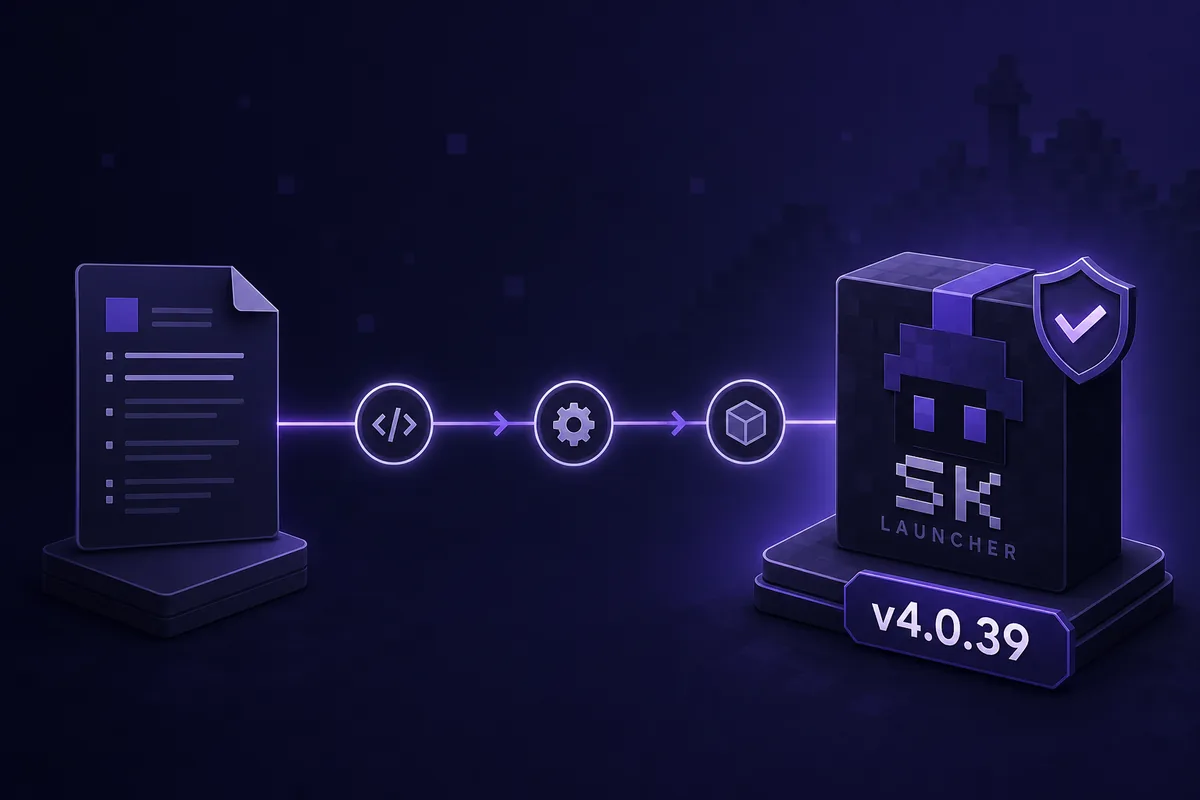
What is the safest way to update SKlauncher?
For how to update SKlauncher, use a replacement from the first-party page and test one copied instance. Identify stable 3.2 or the separate 4.0 beta channel and compare it with your launcher. A mirror, repack, or APK is not proof of a newer build.
The pages checked on October 9, 2026 identify stable 3.2.18 and beta v4.0.54. These are separate release lines. Keep the old launcher and a working instance until the new build reaches the main menu and opens a disposable world.
- Use skmedix.pl or its official next.skmedix.pl beta page.
- Record launcher, Minecraft, loader, Java, and modpack versions.
- Back up worlds and instance folders outside the active data directory.
- Test a copied instance before opening an important world.
Short answer
Use the matching official channel, preserve your data, test a copied instance, and keep a rollback path. A launcher update cannot repair an incomplete Java runtime or incompatible loader.
Check the current SKlauncher version first
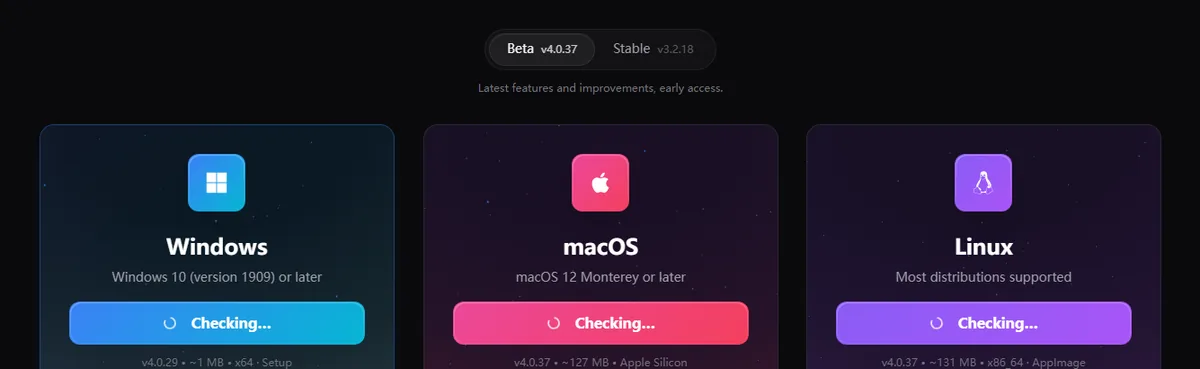
When deciding how to update SKlauncher, do not confuse the launcher version with Minecraft. The stable page shows 3.2.18, while the 4.0 page advertises v4.0.54 Beta with approximate platform sizes. Read the live card because release pages change.
The launcher, Minecraft, Java, loader, and modpack each have their own version. Write down all five. If the problem began after a game or loader change, use the Minecraft version guide or Java requirements guide instead of reinstalling.
| Line | Official page | Use it for |
|---|---|---|
| Stable 3.2.18 | skmedix.pl/downloads | Predictable daily setup |
| Beta 4.0.54 | next.skmedix.pl/downloads | Testing the rebuilt workflow |
| Minecraft / Java / loader | Your selected profile | Compatibility and startup checks |
Back up worlds and instances before updating
A safe answer to how to update SKlauncher is to close Minecraft and SKlauncher, then copy worlds, packs, configs, and the complete instance directory outside the managed folder. A seed note or mod list is not a backup. Preserve the files for rollback.
If you use a custom game directory, record its path. Stable 3.2 and beta 4.0 can show different instance screens, and importing the wrong directory can make a healthy world look missing. Do not delete old data until the new profile passes a play test.
Close processes
Exit the game and launcher and wait for Java processes to finish writing files.
Copy real data
Back up worlds, configs, resources, and the complete instance or game directory.
Record the environment
Note launcher line, Minecraft, loader, Java, modpack, and instance path.
Keep rollback
Do not remove the old data until a copied instance launches successfully.
The installer is not a backup
A new launcher can replace program files, but it cannot recreate a deleted world, custom configuration, or missing modpack. Back up before changing anything.
Update stable 3.2 or test SKlauncher 4.0 Beta
The stable answer to how to update SKlauncher is to open the official page, choose your platform and architecture, and install without deleting the game directory. Open a copied profile. If Java is requested, use a supported 64-bit runtime. Confirm the directory and loader before opening a world.
The 4.0 page is an early-access channel. It showed v4.0.54 on October 9, 2026 with cards of about 122 MB, 136 MB, and 141 MB. Treat those as changing metadata. Use the beta for deliberate testing, keep stable 3.2.18 available, and read the changelog before importing a copy.
Open the intended first-party page
Confirm skmedix.pl for stable or next.skmedix.pl for the 4.0 beta channel.
Read the live card
Record the shown version, platform, architecture, and approximate package size.
Install beside your data
Keep the original launcher data and backup untouched during installation.
Test a copied instance
Check Java, loader, mods, a disposable world, and a normal save before migrating.
- Beta package numbers are not Minecraft game-version numbers.
- A beta can change menus, libraries, Java handling, or loader behavior.
- If a platform card is unavailable, use the official release page or stay on stable.
- Do not treat an APK or mirror as an Android version of the desktop launcher.
Choose by risk, not by number
Stay on stable 3.2.18 for the least surprising daily setup. Try 4.0.54 when you have backups and accept early-access changes.
Update an instance and recover when the launcher fails
If you searched how to update SKlauncher, you may mean updating a Minecraft instance. Changing the game version, loader, modpack, shader, or Java runtime can break a world even when the launcher is unchanged. Duplicate the instance, change one component, and launch a disposable world. The modpack guide, mods guide, and shader guide cover those tasks.
Start with the first error and the last version that worked. A missing instance often means a changed game directory; a Java error points to runtime or architecture; a missing library points to an incomplete download; a login error points to account state. Reconnect to the official source and retry the copied profile before deleting caches. For a stuck button, use the download-stuck guide.
Duplicate the instance
Name the copy update-test and keep the original profile unchanged.
Change one dependency
Update only Minecraft, Java, a loader, modpack, or shader so the cause is clear.
Read the first failure
Keep the log and exact package name; compare the game directory and selected runtime.
Roll back deliberately
Return to the untouched original if the copy fails; never submit credentials to a mirror.
- Launcher cannot find the instance: check the configured game directory.
- Java error: confirm the 64-bit runtime and profile selection.
- Missing library or asset: reconnect and let the same profile finish downloading.
- Mod or loader crash: test the vanilla copy, then add one change at a time.
- Only a server fails: test singleplayer, then compare server version and authentication rules.
| What changed | First check | Related guide |
|---|---|---|
| Launcher build | Official platform card | This update guide |
| Minecraft version | World and loader compatibility | Minecraft version guide |
| Java runtime | 64-bit runtime and path | Java requirements |
| Loader or modpack | Declared dependencies | Mods and modpack guides |
Do not turn a failed update into data loss
Keep the original instance and world until the copied profile works. Deleting the cache or changing several versions at once removes recovery evidence.
Final SKlauncher update checklist
Use this how to update SKlauncher checklist when the official source, release line, backup, runtime, instance, and rollback plan agree. A current launcher may intentionally use an older Minecraft, Java, loader, or modpack. The goal is a reproducible setup, not the largest number on every screen.
Keep this note with the backup: source URL, launcher line, displayed version, platform, Minecraft, loader, Java, instance path, backup location, and first successful test date. Recheck first-party notes instead of trusting a cached mirror or old screenshot.
- The package came from the matching official stable or beta page.
- The version and platform were recorded before installation.
- Worlds and instance folders were copied outside the active path.
- A copied profile reached the main menu and opened a disposable world.
- Java, Minecraft, loader, and modpack versions were checked separately.
- Original launcher data remains available for rollback.
When to stay on the old version
Stay on the working build without a verified backup, for a stable event, with a required loader, or when the failure is not reproducible. Waiting for a clearer official note is safer than forcing a beta.
The safe SKlauncher update path
For how to update SKlauncher, use the official platform page, distinguish stable 3.2.18 from beta 4.0.54, back up worlds and instances, and test a copied profile. When an update fails, identify whether the cause is the launcher, Minecraft, Java, loader, modpack, account, or server.
This page was checked against the official stable and beta pages on October 9, 2026. Version cards and package sizes can change, so those pages remain the download authority.
- Stable 3.2.18 and beta 4.0.54 are separate release lines.
- The official card is the source of truth.
- Back up worlds and instances before changing files.
- Test one copied instance.
- Keep a stable route for rollback.
How to update SKlauncher FAQ
How to update SKlauncher safely?
Open the official page, compare the platform version, back up worlds and instances, install the matching package, and test a copied profile before removing old data.
What is the latest SKlauncher version?
Pages checked on October 9, 2026 showed stable 3.2.18 on skmedix.pl and beta 4.0.54 on next.skmedix.pl. Recheck them because cards can change.
Should I update from stable 3.2.18 to SKlauncher 4.0.54?
Only to test the early-access workflow with a verified backup. Keep stable 3.2.18 until the beta works with copied instances, Java, loaders, and mods.
Will updating SKlauncher change my Minecraft worlds?
Treat launcher updates separately from world migration. A Minecraft, loader, modpack, or directory change can affect a world, so copy the folder and test a disposable copy.
Why does SKlauncher show an old version after I update?
You may have opened a different launcher path or portable file, or changed Minecraft rather than SKlauncher. Compare the installed file, launcher line, game directory, and official card.
What should I do if the SKlauncher update fails?
Keep original data, record the first error, reconnect to the official source, and test the copy. Check Java, directory, libraries, loaders, mods, account state, and server rules separately.
Sources and verification
This guide uses current first-party information checked on October 9, 2026.
Official SKlauncher stable downloads Official SKlauncher 4.0 downloads Official SKlauncher 4.0 changelog SKlauncher installer source